

 Digital Transformation

 Technical Strategy Services
 Foundational Strategy Services
 Information Architecture
 Content Experience & Strategy
 Bitrix24 For Business Automation
 Software Development
 Custom Application Development
 Mobile Application Development
 E-commerce Development
 Website Development
 UI/UX Audit of Site Usability
 Website Technical Support
 Digital Marketing
 Marketing Automation Services
 Search Engine Optimization (SEO)
 Content Marketing & Copywriting
 Paid Search & PPC Management
 Social Media Marketing
 Email Marketing Services
 Research
 Brand Health Research
 Analysis of Brand Competitors
 Target Audience Analysis
 Testing of Design and Concept
 Analytics Setup & Data Analysis
 Foundational Strategy Services
 Information Architecture
 Content Experience & Strategy
 Bitrix24 For Business Automation
 Custom Application Development
 Mobile Application Development
 E-commerce Development
 Website Development
 UI/UX Audit of Site Usability
 Website Technical Support
 Marketing Automation Services
 Search Engine Optimization (SEO)
 Content Marketing & Copywriting
 Paid Search & PPC Management
 Social Media Marketing
 Email Marketing Services
 Brand Health Research
 Analysis of Brand Competitors
 Target Audience Analysis
 Testing of Design and Concept
 Analytics Setup & Data Analysis

 Expertise Overview
 Digital Transformation
 Software Development
 Digital Marketing
 Research
 Products Overview
 Solutions Overview
 Real Estate CRM
 Hospitals CRM & Bookings
 Retail Digital Transformation
 Marketing Automation
 Tasks & Projects
 HR Automation
CHATBRIDGE24 WHATSAPP BUSINESS API
One WhatsApp number. Your whole team.
ChatBridge24 is Saabsoft's own WhatsApp Business platform and an approved Meta Tech Provider, built on Meta's official WhatsApp Business Platform (Cloud API). Connect your business number and your whole team answers it from one shared inbox, sends Meta-approved message templates, runs WhatsApp marketing campaigns and answers new chats around the clock with a chatbot you draw yourself. Use it as a standalone workspace, install it as a full app from the Bitrix24 Marketplace, or connect any other CRM through its REST API and signed webhooks. ChatBridge24 is designed, built and operated by Saabsoft Technologies in Dubai, UAE. As a Bitrix24 partner serving Bitrix24 UAE and Bitrix24 Dubai companies, our team connects your number and sets up the app in your portal.
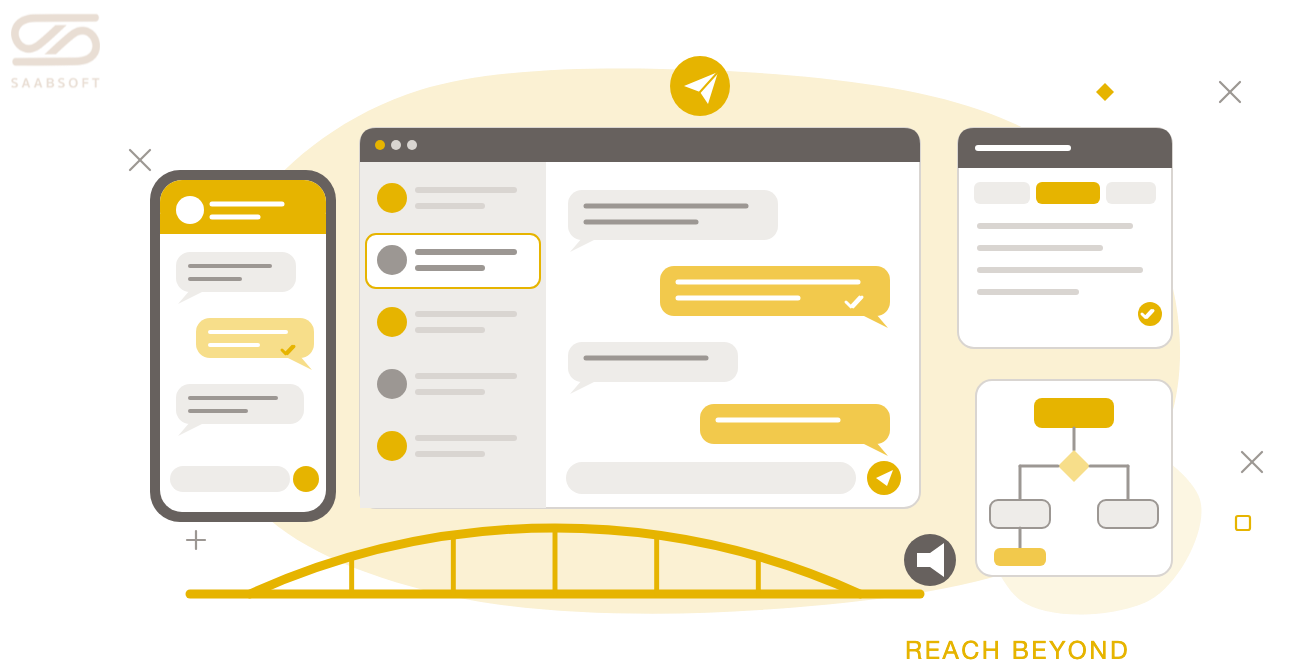
KEEP YOUR WHATSAPP BUSINESS APP, ADD THE API
THREE WAYS TO USE CHATBRIDGE24
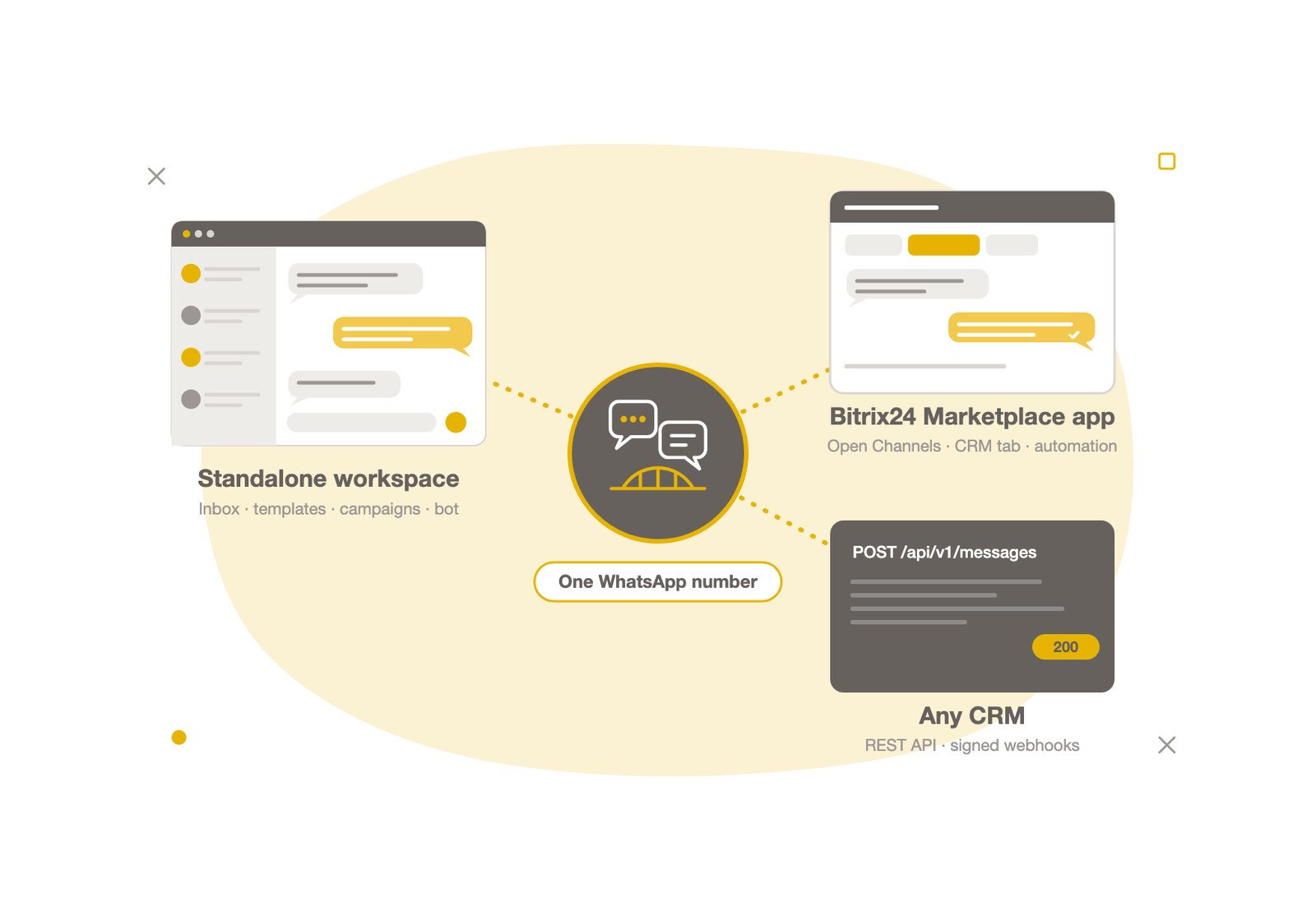
Every ChatBridge24 feature runs on one connected WhatsApp Business number, and you choose where your team works. On its own, the standalone WhatsApp workspace gives you a shared inbox, approved templates, campaigns, the chatbot and the API with no CRM needed. If your company runs on Bitrix24, the Bitrix24 WhatsApp integration brings every conversation into Open Channels and the CRM. And any other CRM connects through signed webhooks and the REST API.
THREE WAYS TO USE CHATBRIDGE24
WhatsApp Coexistence: One Number on the App and the API
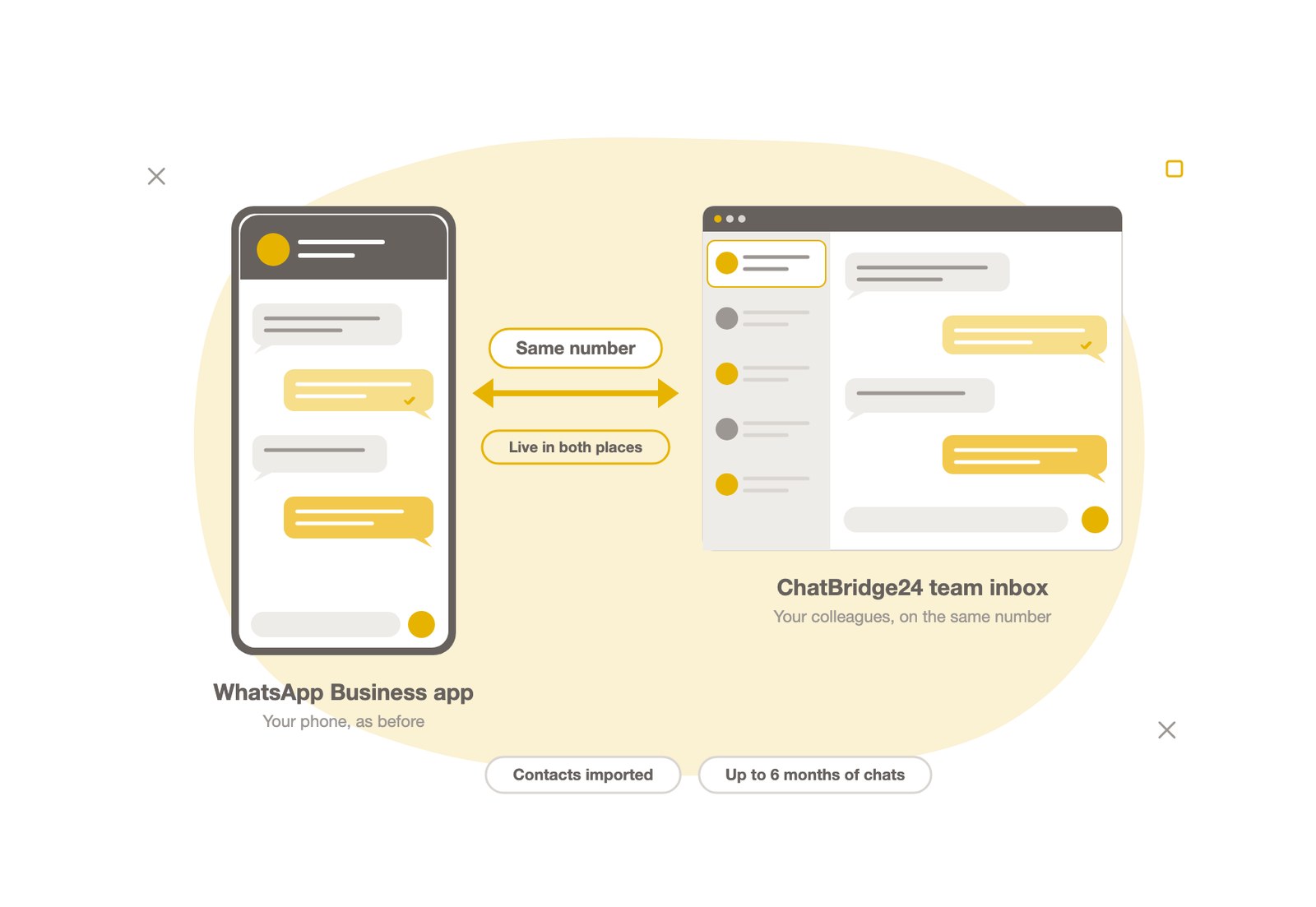
Keep the number your customers already know on the WhatsApp Business app on your phone, and connect the same number to ChatBridge24. Nothing is re-registered and there is no SMS code: your contacts are imported, up to six months of one-to-one chat history can come across, and from then on every message reaches both places. A reply typed on the phone appears in ChatBridge24, and a reply your colleague sends from ChatBridge24 appears on the phone. How WhatsApp coexistence works.
WhatsApp Shared Team Inbox
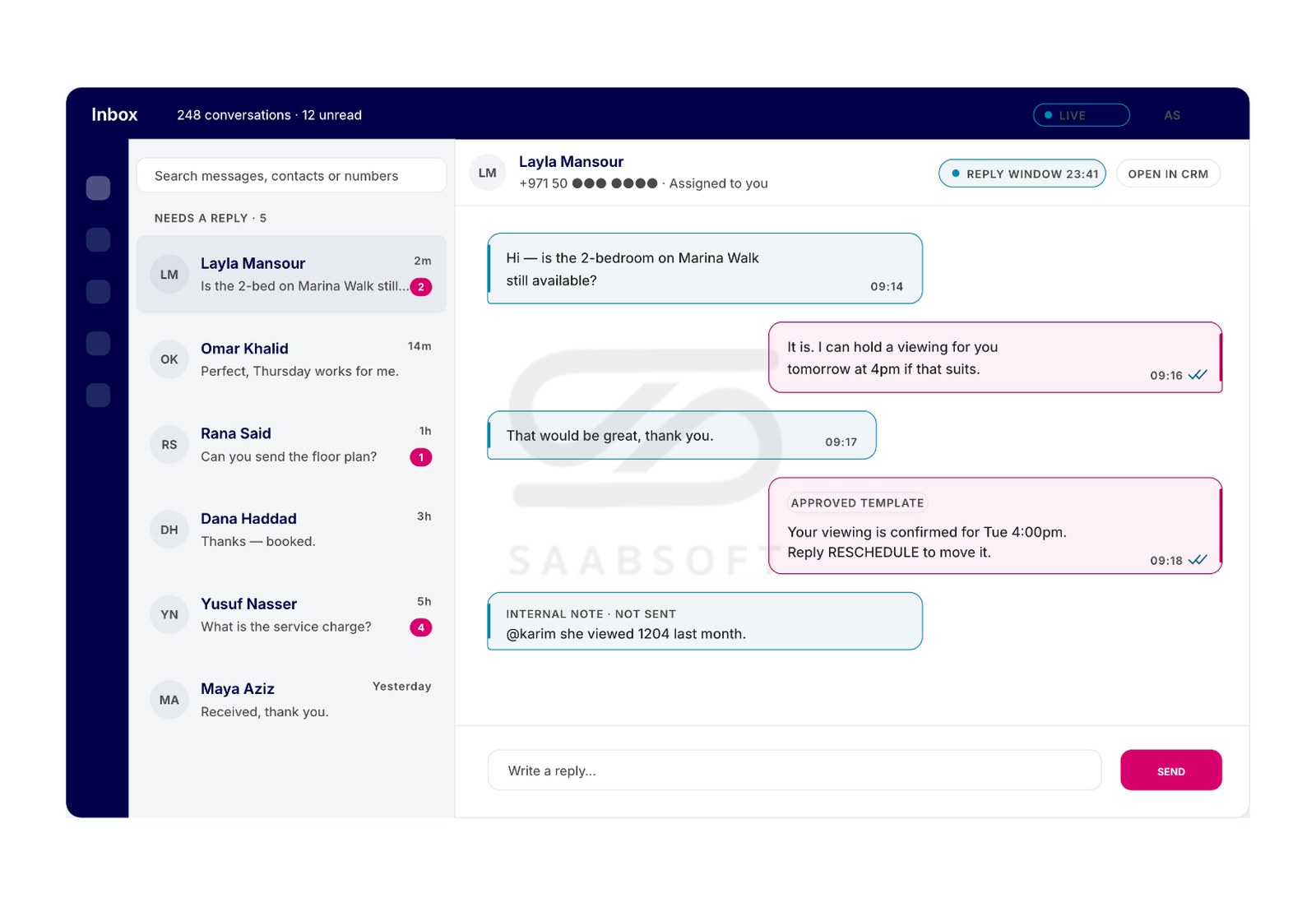
One thread per customer that your whole team can work: assign conversations, add labels and internal notes, reply with saved answers and search everything. Every message shows its delivery and read state, and the 24-hour customer service window is checked before you send, so your agents always know whether they can reply in free text or need an approved template. Explore the shared inbox.
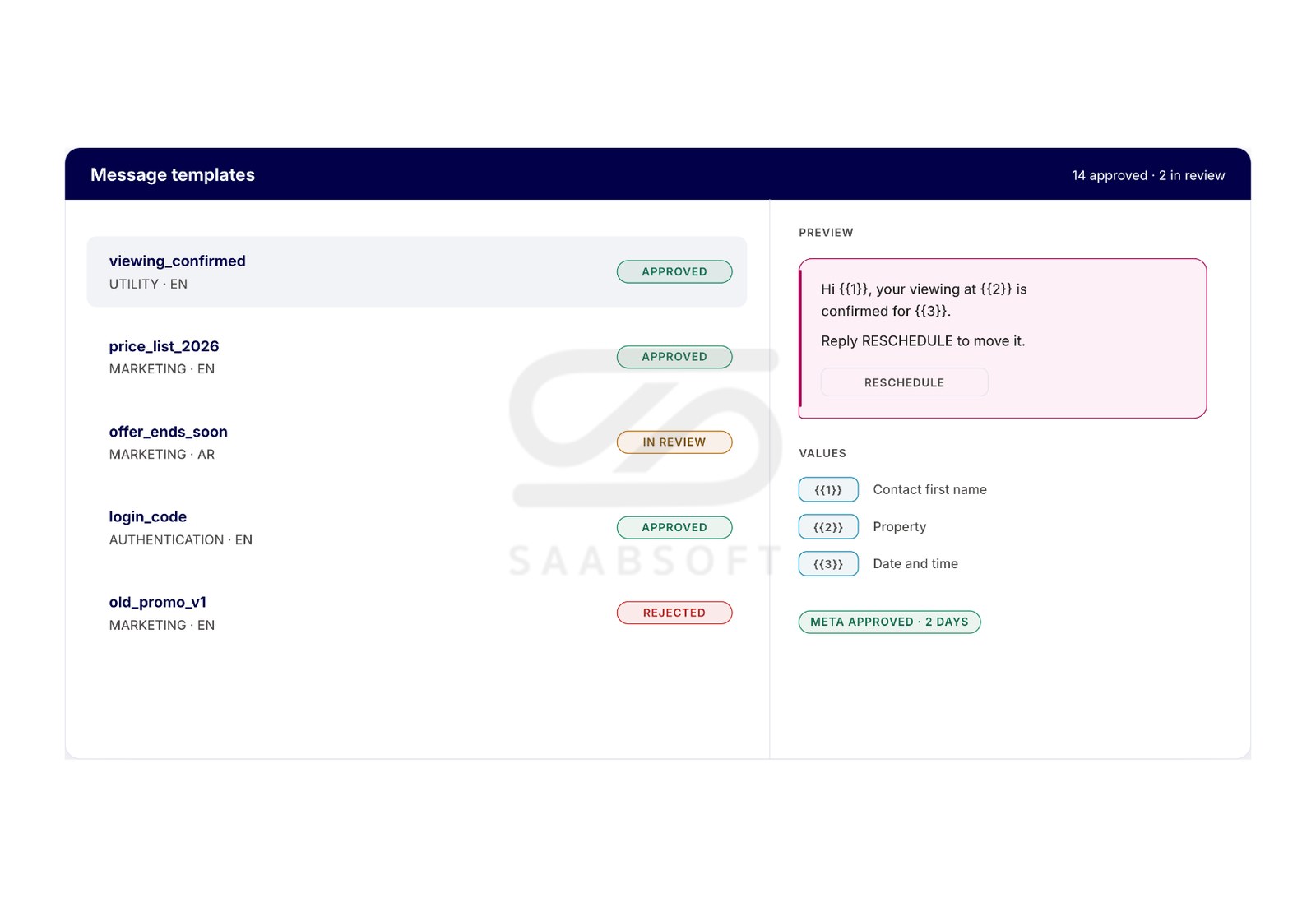
Meta-Approved WhatsApp Message Templates
Build WhatsApp message templates with media headers, buttons and named values, submit them to Meta for approval and follow the review without leaving the app. Approved templates let you reach customers outside the 24-hour window for order updates, reminders, follow-ups and offers. How template approval works.
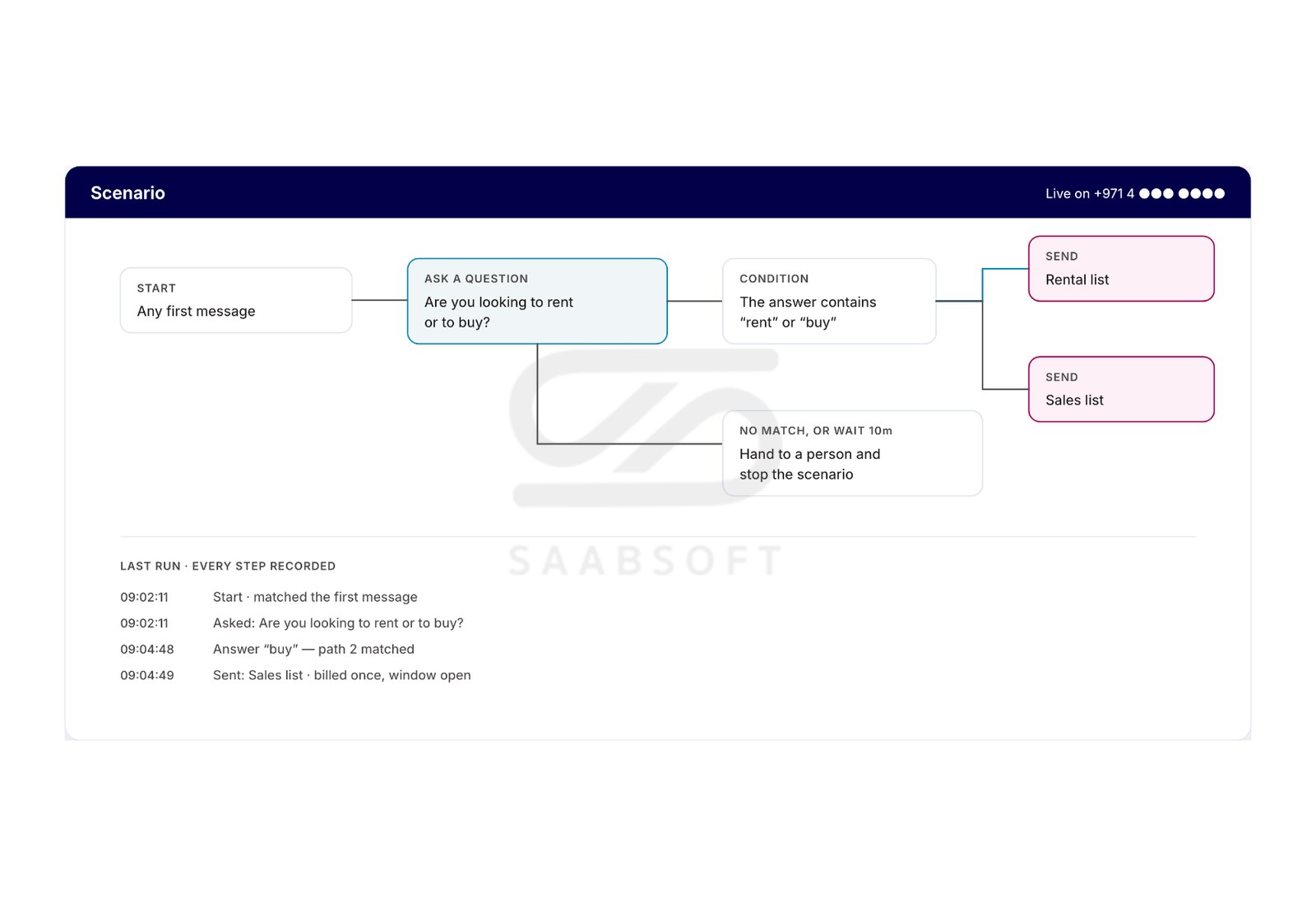
Advanced WhatsApp Chatbot, No Code
Draw your WhatsApp chatbot on a canvas: buttons and lists, questions that check the answer, conditions, waits, business hours and a hand-off to a person whenever you choose. Start scenarios from keywords, a new contact, a Click-to-WhatsApp ad or a message outside working hours, test them in a chat that sends nothing, then publish. The advanced bot is included in the Professional and Enterprise plans, and the same scenarios run inside Bitrix24 as a Bitrix24 advanced bot. See the WhatsApp chatbot.
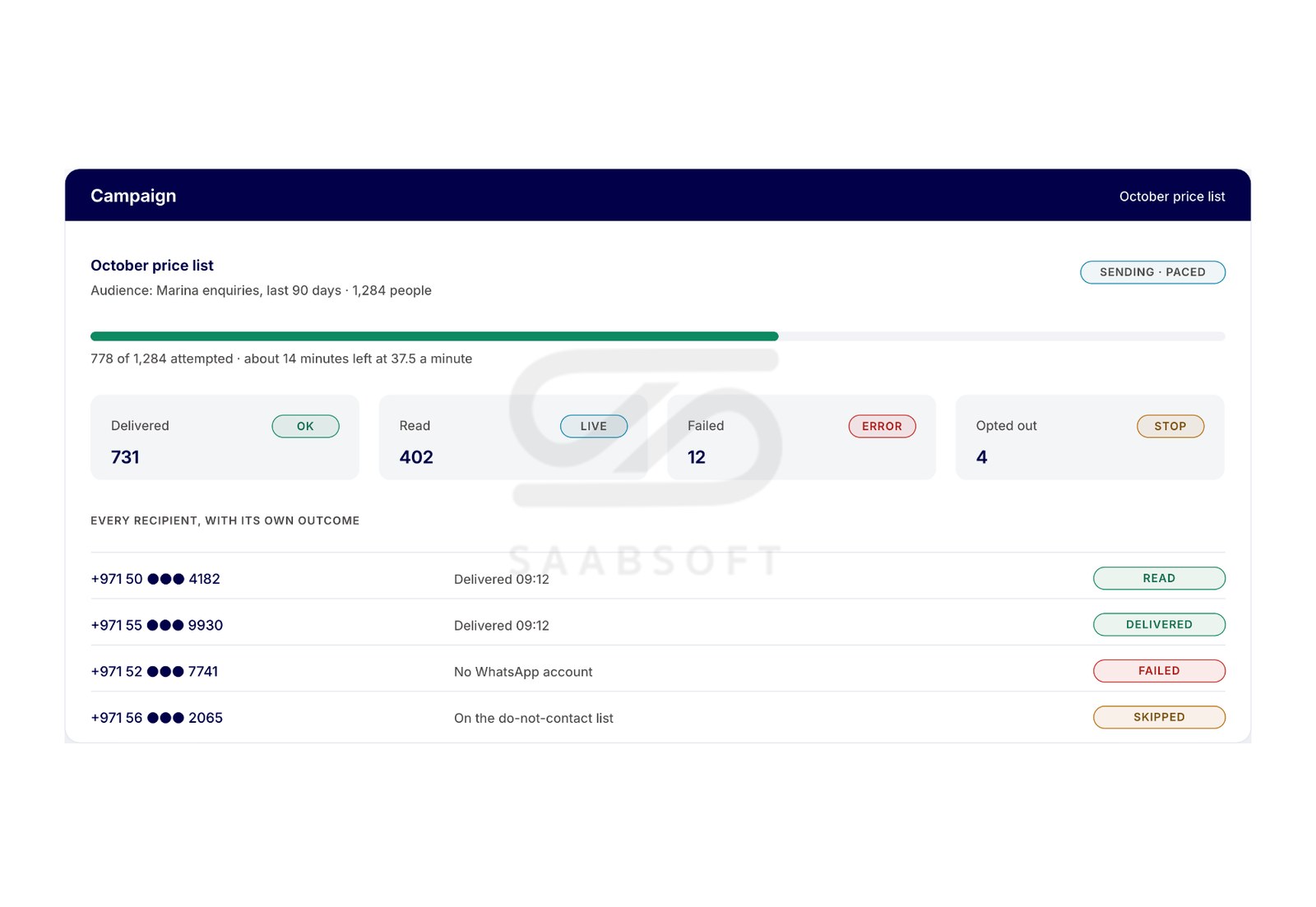
WhatsApp Marketing Campaigns and Audiences
Everyone who has written to your number becomes part of an audience you can filter and save. Send an approved template to that audience as a WhatsApp marketing campaign, paced within the sending hours you set, and see the outcome for every single recipient. WhatsApp marketing campaigns and audience segmentation.
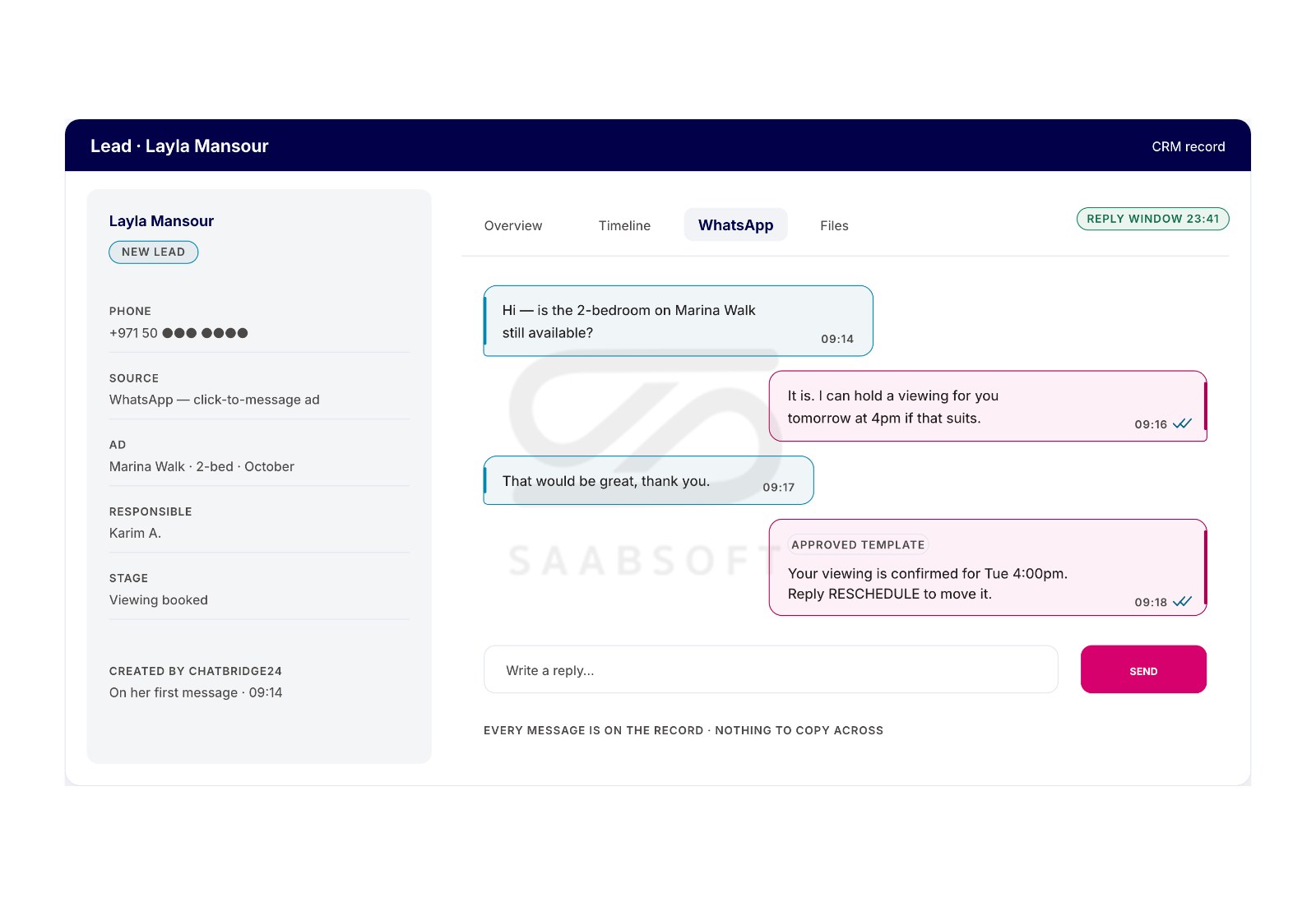
Bitrix24 WhatsApp Integration
Install ChatBridge24 from the Bitrix24 Marketplace and WhatsApp chats arrive in your Open Channels, where your operators answer from Bitrix24. Every Lead, Deal, Contact and Company card gets a WhatsApp tab, automation steps on leads, deals, contacts, companies and Smart Processes send approved templates filled from the record's own fields, and a customer's first message can create the CRM record with the phone number and where they came from. It works on Bitrix24 cloud portals and on Bitrix24 On-Premise. Read about the Bitrix24 app.
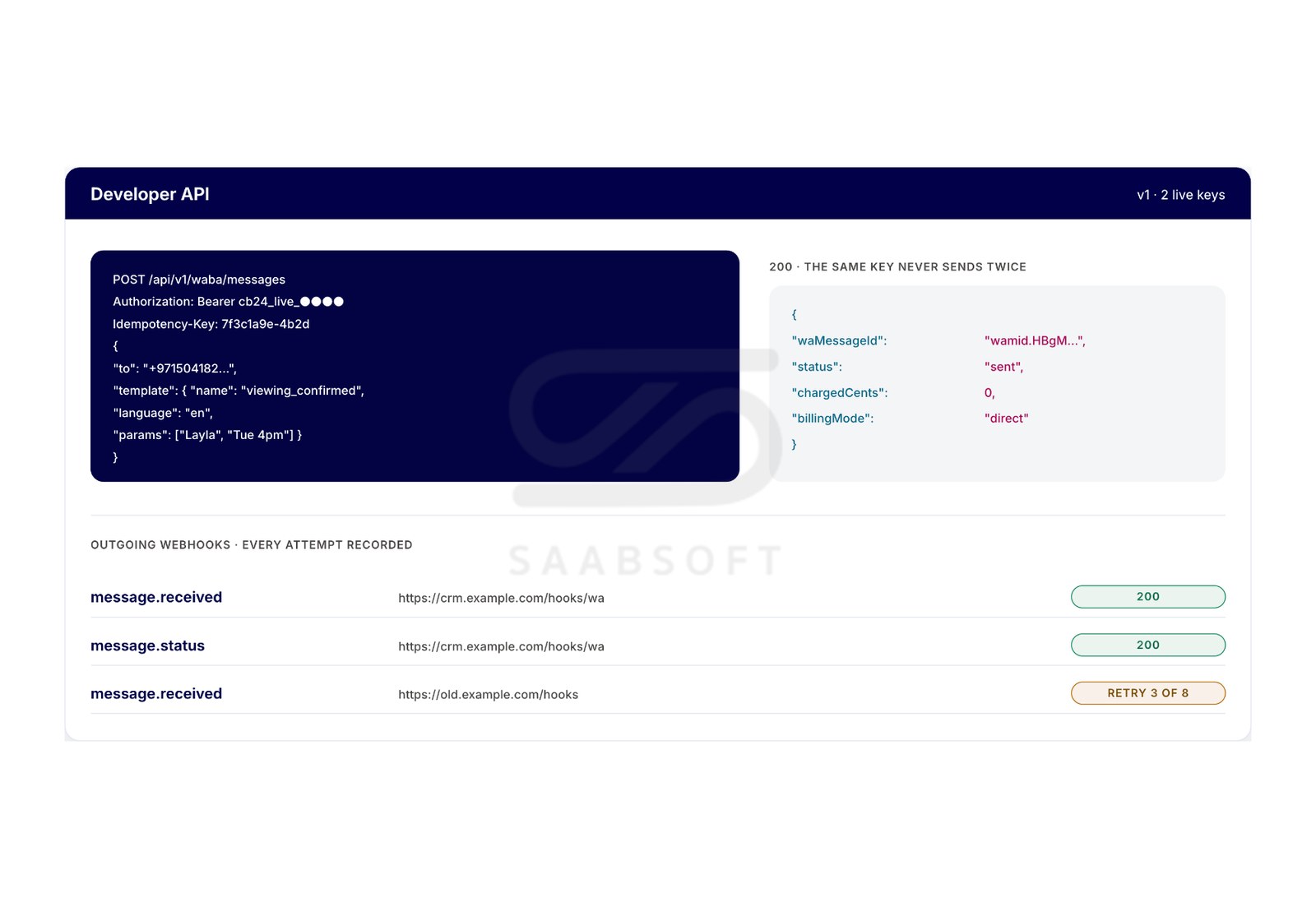
WhatsApp REST API and Signed Webhooks
Connect WhatsApp to any CRM or in-house system. Signed webhooks post every new message and delivery status to your software, and the documented REST API gives scoped access to your numbers, templates and messages, with an idempotency key on every send. On the Enterprise plan the API also sends approved templates. Read the API documentation.
WHATSAPP COEXISTENCE IN DETAIL
What Comes Across When You Connect
- Every contact in the WhatsApp Business app that has a WhatsApp number
- Up to six months of one-to-one chats, if you allow it
- Photos and files from the last 14 days
- Everything from then on, live, from customers, the phone and your team
How to Connect Your Number
- Update to WhatsApp Business app version 2.24.17 or later
- Press "Add Business App number" and follow Meta's own steps
- Approve the connection in the app on your phone
- No SMS code, no PIN and no re-registration
What Stays on the Phone
- Group chats keep working in the app
- Voice and video calls stay on the phone
- Existing broadcast lists become read-only
- Open the app at least every two weeks to keep the number connected
Pricing Per Number, Not Per Seat
- Starter, Professional and Enterprise plans, from $40 to $119 per number a month
- Your whole team included, with no seat charge
- Meta's message charges billed by Meta, with no markup
- Hosted on AWS in the European Union